 nanabase
📣
Update
We added sign-in with an email address and revised the privacy policy
You can now sign in to and sign up for nanabase with just an email address. Along with this, we have revised the privacy policy regarding the handling of email addresses.
Signing in with an email address
- Even if you don’t have a Google or X account, you can now use nanabase with just an email address
- No password is needed. Each time you sign in or sign up, we email you an 8-digit verification code
- A verification code is valid for 3 minutes after it is issued
- If you already signed up with Google or X, register an email address in “Settings > Account” to sign in with a verification code as well
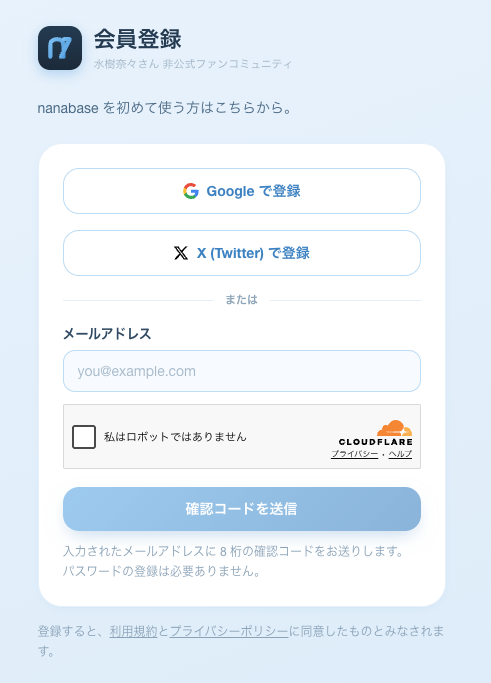
With social login (Google / X), we do not store the email address of your external account. Please note that if you sign in with a verification code using an email address you have not registered, a new account separate from your existing one will be created.
Managing sign-in methods
- In “Settings > Account”, you can now see all three sign-in methods — Google, X, and email address — in one place
- You can now remove a registered email address. Once removed, the stored email address is deleted and you can no longer sign in with a verification code
- If you have only one sign-in method, it cannot be removed, since you would no longer be able to sign in
About the privacy policy revision
Before the revision, email addresses were converted with a cryptographic hash function (SHA-256) before being stored, and were not stored in plain text. Since delivering verification codes requires the email address itself, we changed to storing email addresses as they are.
- Stored email addresses are used only to send verification codes and to check for duplicate accounts
- We never send emails for advertising or promotional purposes
- When you delete your account, your email address is deleted as well
- Email addresses registered before the revision remain stored as hash values and cannot be used to send verification codes. They are replaced with your email address once you register it again from “Settings > Account”
For details, please see the privacy policy.