 nanabase
📣
Update
You can now set your country / region and prefecture on your profile
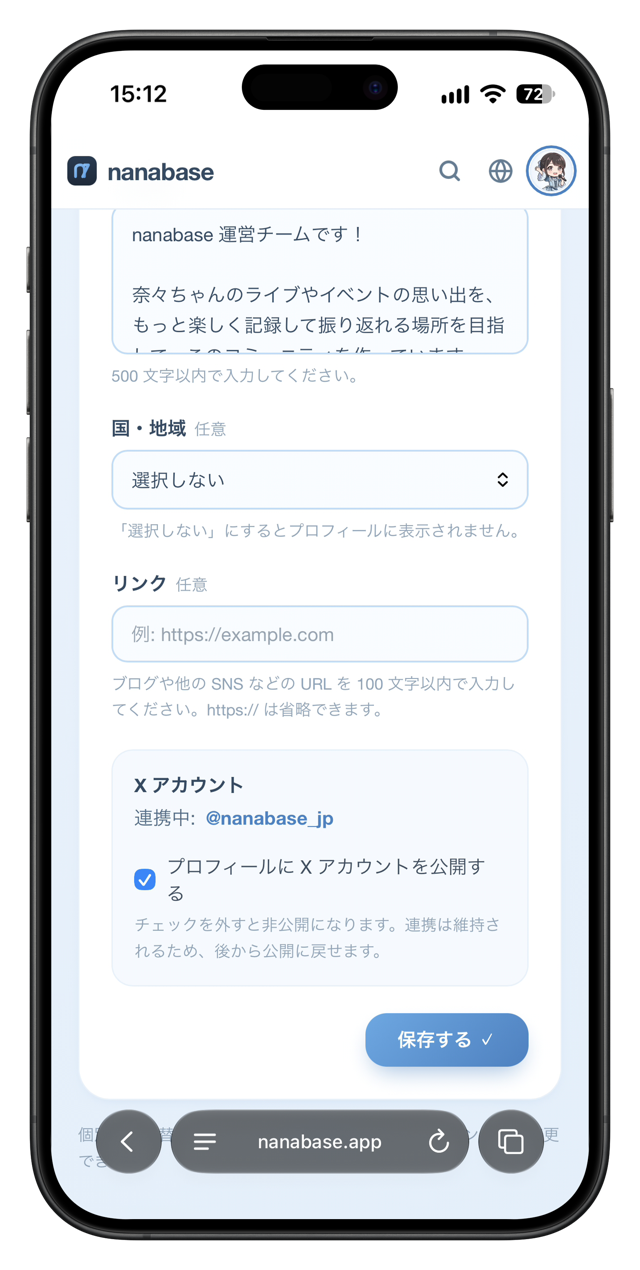
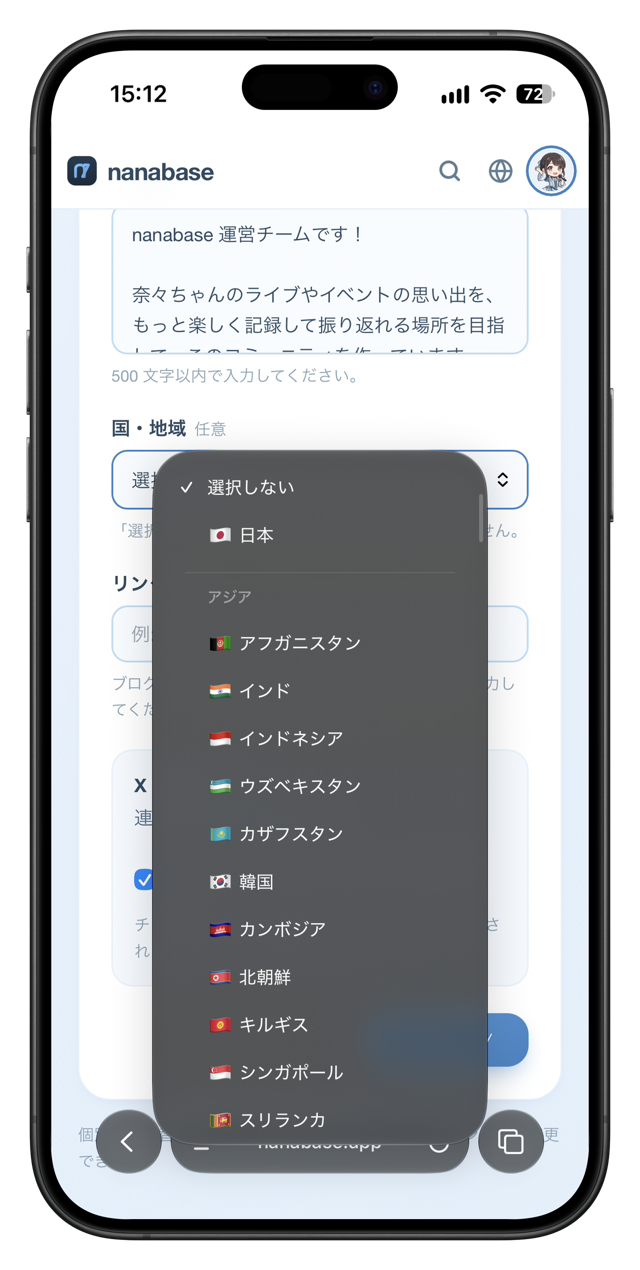
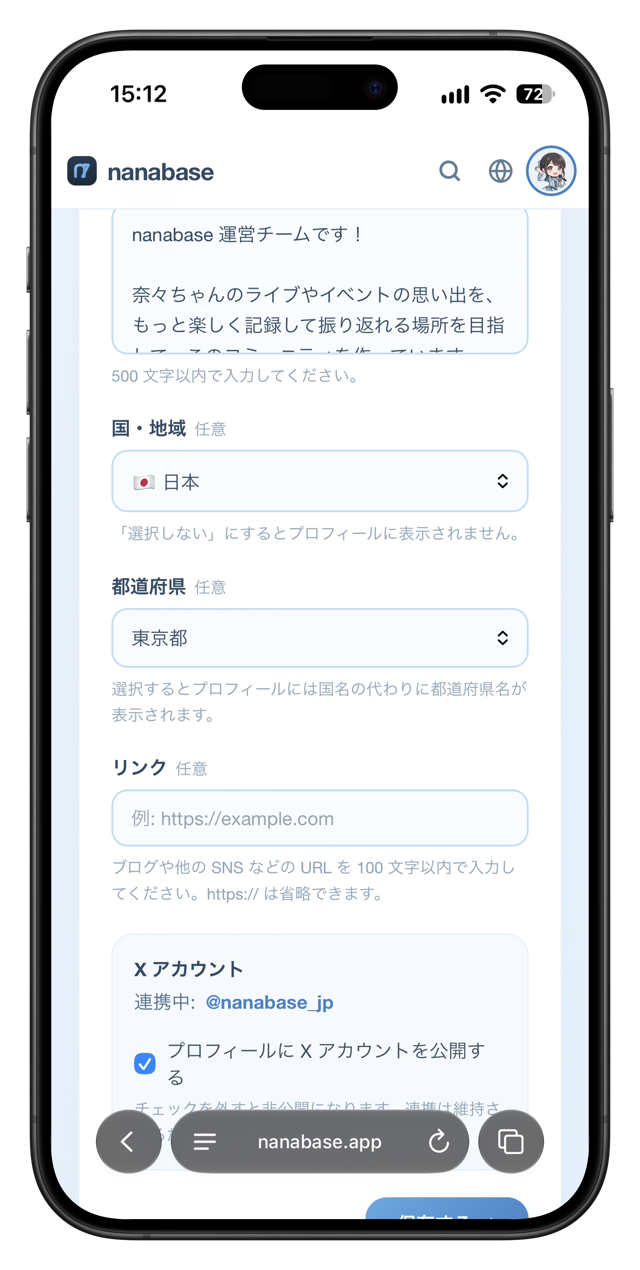
You can now set the location on your profile by choosing a country / region and a prefecture.
What you can set
- Choose your country / region from a list grouped by area, such as Asia and Europe
- If you choose “Japan”, you can also choose a prefecture. When a prefecture is selected, your profile shows the prefecture instead of the country
- If you choose “Don't select”, no location is shown on your profile
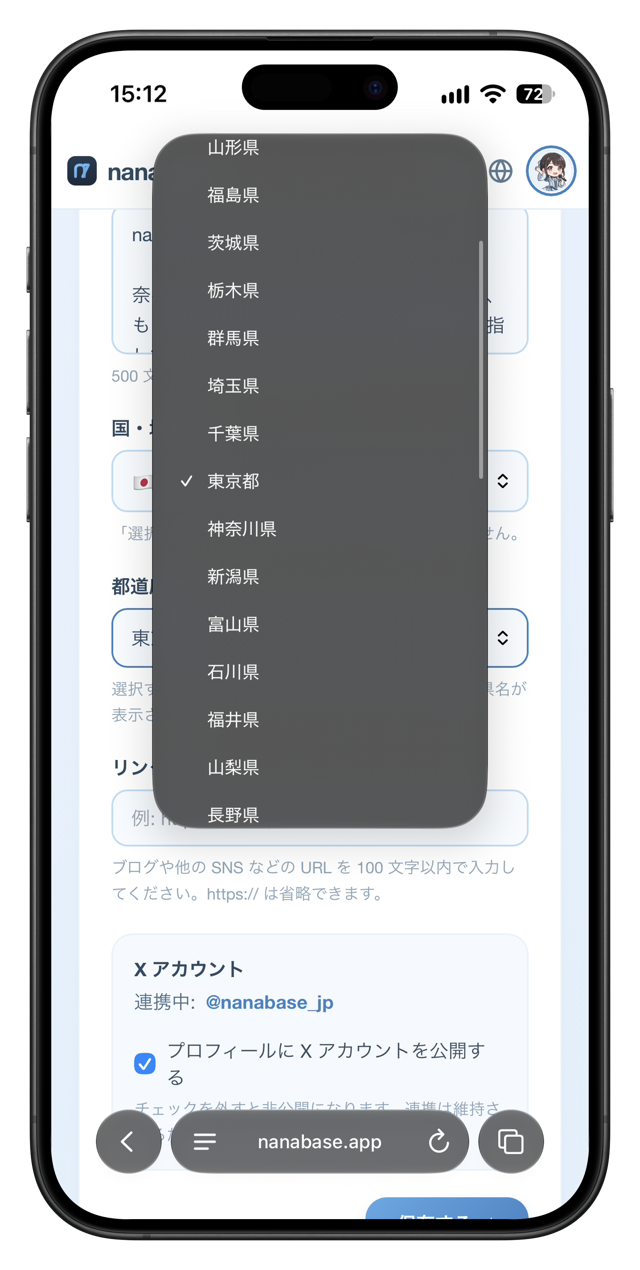
Connect with Nana fans near you
Your location is shown on your profile and in the user list. In the user list, you can filter users by all of Japan, by prefecture, or by country / region outside Japan, so try looking for Nana fans who live in the same area as you. You might find friends to talk with about shows in your hometown or trips to see Nana live.
Set your location from Profile settings on your page.